
In Rightmove Plus, the dashboard on the landing page and your Market Share Reports pull data from your 'default' patch.
We advise the patch stock percentage is at 100%, to get the most accurate results in the market share reports.
- How to create a new patch
- How to edit a patch
- How to make a patch 'default'
- Key points to note
- What to do if your patch is locked?
How to create a new patch
Use the steps below to create a new patch within Rightmove Plus:
- Log in to Rightmove Plus and make sure you're on your home page.
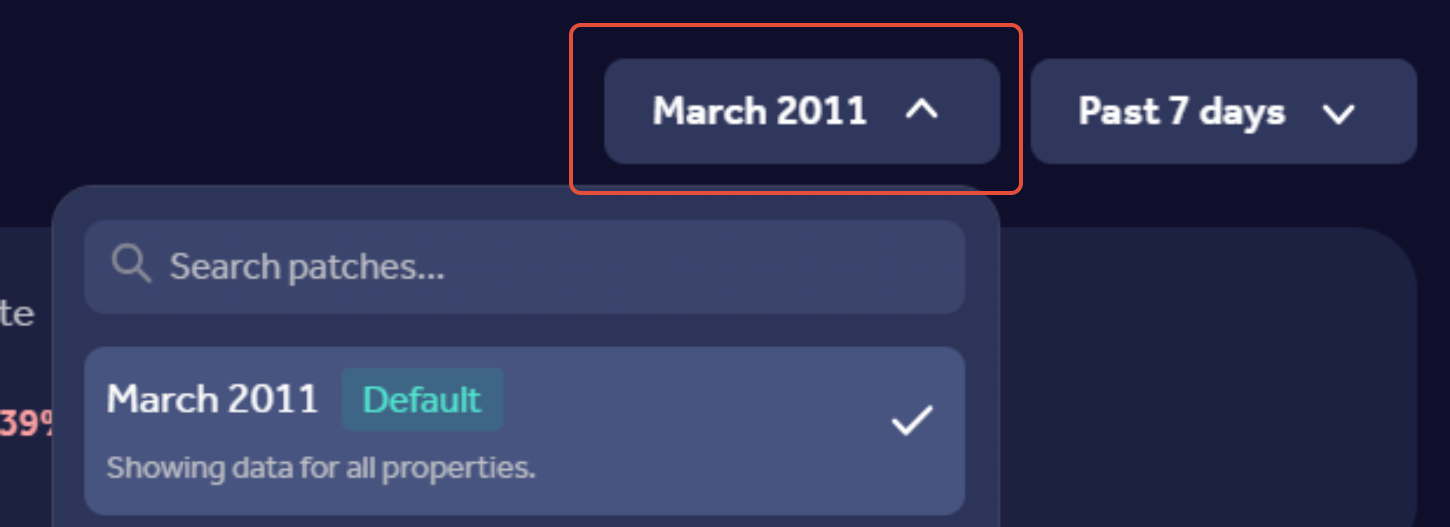
- Click your Patch name and select the '+ add patch'. See the screenshot for reference below:

- Use the map or list view to find postcodes. You can also use the search bar to enter a postcode, and select just one or multiple at a time.
- Press the 'Define your filters' button, and on here you can edit the price range, property type, resale/new build.
- Name your patch on the right-hand side.
- Click 'save'.
How to edit a patch
Follow the steps below to edit a patch within Rightmove Plus:
- Log in to Rightmove Plus, and make sure you're on your home page.
- Click your Patch name and select 'Manage patches' found on the home page. See the screenshot for reference below:
- Select the 'edit' button, under the patch name.
- Use the map or list view to find new postcodes. To remove postcodes from the patch, select the cross (X) next to the postcode.
- Press the 'Define your filters' button, and on here you can edit the price range, property type, resale/new build.
- Rename your patch if you wish on the right-hand side.
- Click 'Update'.
How to make a patch 'default'
Whether you're creating a new patch, or editing your current patch, you can use the same steps to make your patch 'default'.
To do this, go to the 'Define your filters' page, and then tick the 'Set as default' box, and then 'update/save'. See the screenshot below:
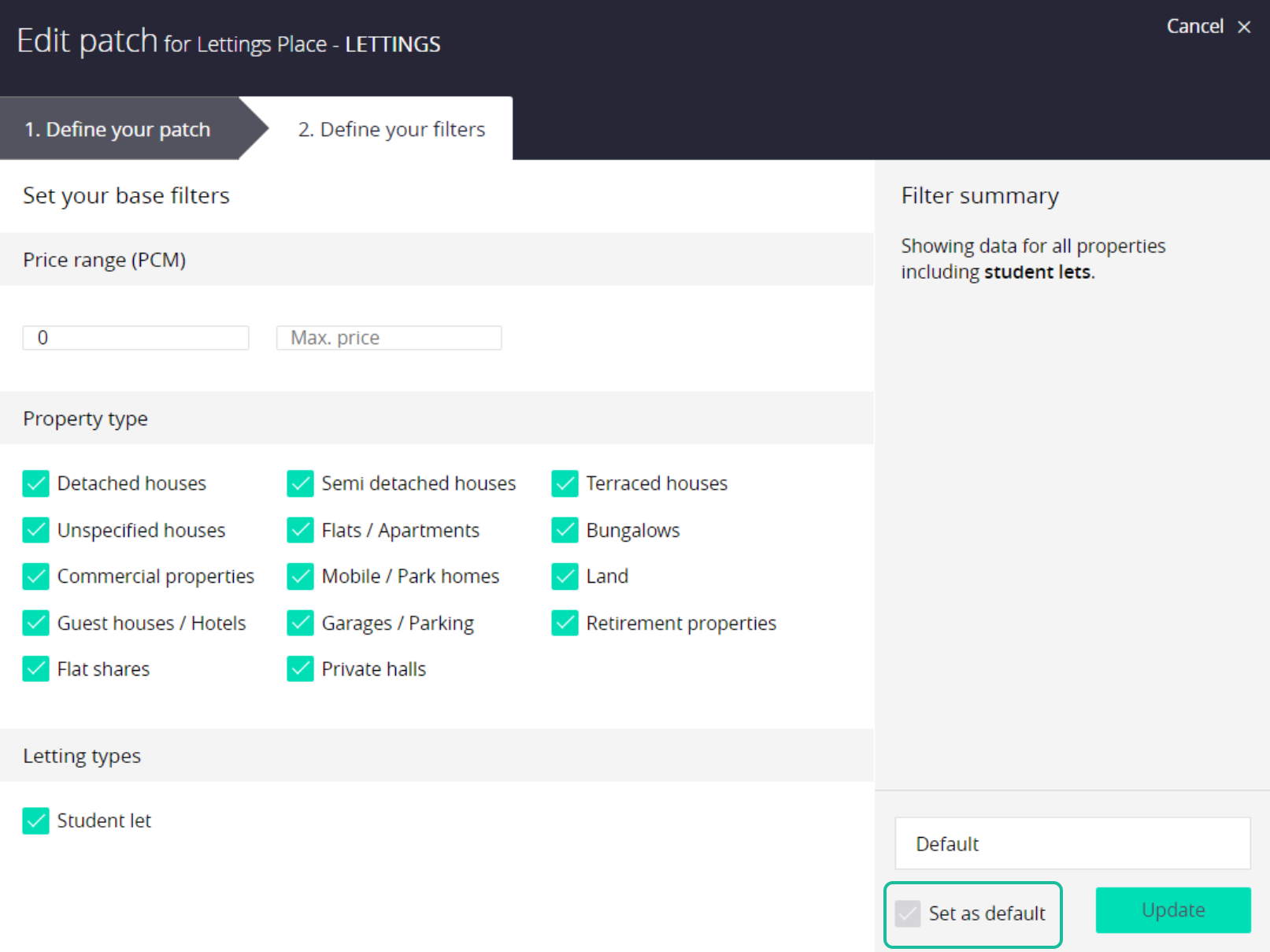
Once this has been saved, the details in your Market Share Report will reflect the data in your default patch.
Key points to note
- You can have only 1 patch set as your default patch.
- You can select which property types and price brackets are included in this.
- You can have up to 30 patches on Rightmove Plus.
- There is a limit to how many postcodes can be added to an individual patch and this is measured by how many chimney pots are in the postcode area.
- For each map area, we will show you the postcodes you are covering, along with the percentage of your stock.
What to do if your patch is locked?
If you've noticed that your patch is locked, and you are unable to update this, feel free to send an email to customersupport@rightmove.co.uk, and we will be able to confirm whether this needs authorisation from your head office or account manager to get this changed.
If you experience any errors or have any feedback please do email customersupport@rightmove.co.uk and we'd be happy to look into this.