
Learn about what our Premium Agent Profile is and how to update this.
- What is a Premium Agent Profile?
- What is included on this page?
- How do I update our Premium Agent Profile?
- Testimonials
- How do I get a Premium Agent Profile?
What is a Premium Agent Profile?
A Premium Agent Profile is a brand-enhancing mini website about your business that is accessed from the Find Agents search.
The Premium Agent Profile is a dedicated place to promote your brand, services and expertise, as well as highlight testimonials from satisfied customers.
Dual branches will each have their own dedicated profile page, with information tailored specifically to either sales or lettings, depending on the type of property you’re looking for.
What is included on this page?
- Agent profile colour (appears across the top header, the logo appears in the centre).
- Agent 'about us' description.
- Property Cards (These are of your current live properties).
- Testimonials (can have an unlimited amount).
- Mid-page advert.
- Property details header (this appear on property details pages and link through to the Microsite).
- Sold property cards.
- Your branch and Network section- This will show all branches under the branch's current brand, ordered by distances to the current branch being shown.
It's important to note that the 'Meet the Team' section is no longer available on the Premium Agent Profile page. This section was removed to streamline the page and highlight the properties as the main focus
How do I update our Premium Agent Profile?
To be able to update your Premium Agent Profile page, you need to have access to the 'self service' permission within Rightmove. If you're missing this access, your admin can update your permissions for you. You can read more about requesting permission updates here.
Follow our below steps to update your Premium Agent Profile page:
- Log into Rightmove Plus.
- Go to the Branch Marketing tab.
- You can update your branch profile colour, 'about us' description and testimonials.
- Press 'save changes'.
Currently, you will only be able to update the 'Branch Description', and not the 'Brand Description'.
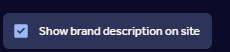
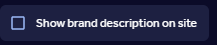
The Brand description is only managed by Rightmove, but you can hide this from the website so that only the branch description appears.
To do this, follow the steps below:
1. Log in to Rightmove Plus.
2. Select the 'branch marketing' tab.
3. Click 'edit' next to the branch description.

4. Untick the box to stop the brand description from appearing:
5. Press 'Continue to terms and conditions', and then press 'save changes'.
Testimonials
Under the Testimonials section in Branch Marketing, you may see the message 'Testimonial Hidden'.
The reason why the testimonial is hidden is because they are missing a name or/and a date. To comply with advertising regulations, all testimonials must include the vendor's name and the date.
Once the name and/or date on these testimonial have been added, they will be displayed on your Premium Agent Profile Page.
If you see any other errors under the testimonial section or on the Premium Agent Profile page, you can report this via the email: customersupport@rightmove.co.uk.
How do I get a Premium Agent Profile?
If you would like information on purchasing a Premium Agent Profile, contact your account manager for details.
If you're not sure who your account manager is, you can schedule a meeting with your Account Manager here.