
'Spotlight' is a product that is only available under the New Homes membership.
If you would like to know more about the product or if you have this product under your membership, you can schedule a meeting with your Account Manager here.
To be able to view Spotlight in Rightmove Plus, you have to have the 'spotlight' permission in Rightmove Plus. Learn how to get your permissions updated here.
What is Spotlight
Spotlight allows additional information to be included on listings, and this is managed by agents in Rightmove Plus.
The additional information is shown in two places, the search results page and the property details page. See how this displays below:
Search results page
- The property will appear bolder within the results similar to a premium listing
- More images displayed, showing 4 images rather than 2
- New homes specific sticker text

Property details page
- 4 additional features within the about developer section
- Development Sticker text
- Development Video
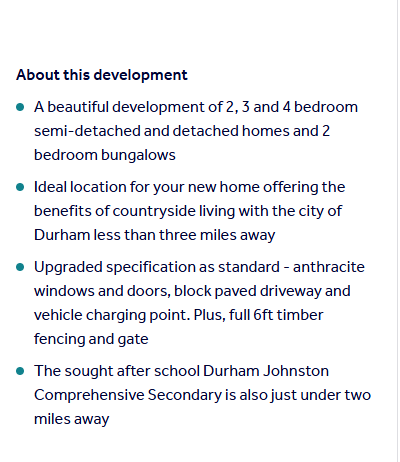
If you have any feedback or are experiencing an error with Spotlight, send an email to customersupport@rightmove.co.uk.
How to update the Spotlight sticker text
Follow the steps below to update your stick text:
1. Log in to Rightmove Plus
2. Select a specific development from your branch list.
3. Press the 'properties' tab on the menu found on the left-hand side, and choose the 'spotlight' tab.
4. Press 'settings' to amend your development details, or press 'edit' next to a property to amend the sticker text.
5. Click Save/confirm.