
The Premium Price Guide is an enhanced version of the Best Price Guide with increased functionality, tools and insights which this article explains.
This report can then be shared with the vendor via email, QR code, or can be printed.
If you would like to check if you're eligible to have this product under your package, you can schedule a meeting with your Account Manager here.
- How to access the Premium Price Guide
- Premium Price Guide Features
- The Dashboard
- Running a Premium Price Guide Report
- Vendor Engagement Alerts
How to access the Premium Price Guide
The Premium Price Guide can be found within Rightmove Plus. You can access the Premium Price Guide on both Desktop and Mobile devices.
Once you're logged into Rightmove Plus, find the menu on the left side of the page, select the 'reports' tab and then choose 'Premium Price Guide'.
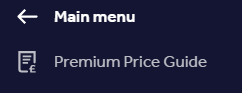
Once the 'Premium Price Guide' has been clicked, you'll be directed to the Premium Price Guide Dashboard.
If Two-factor authentication (2FA) hasn't been enabled on your Rightmove Plus account yet, you'll be directed through the 2FA flow. Learn more about Two-Factor Authentication here.
The reason we ask for 2FA for the PPG is because personal data is accessible via the Dashboard.
Premium Price Guide Features
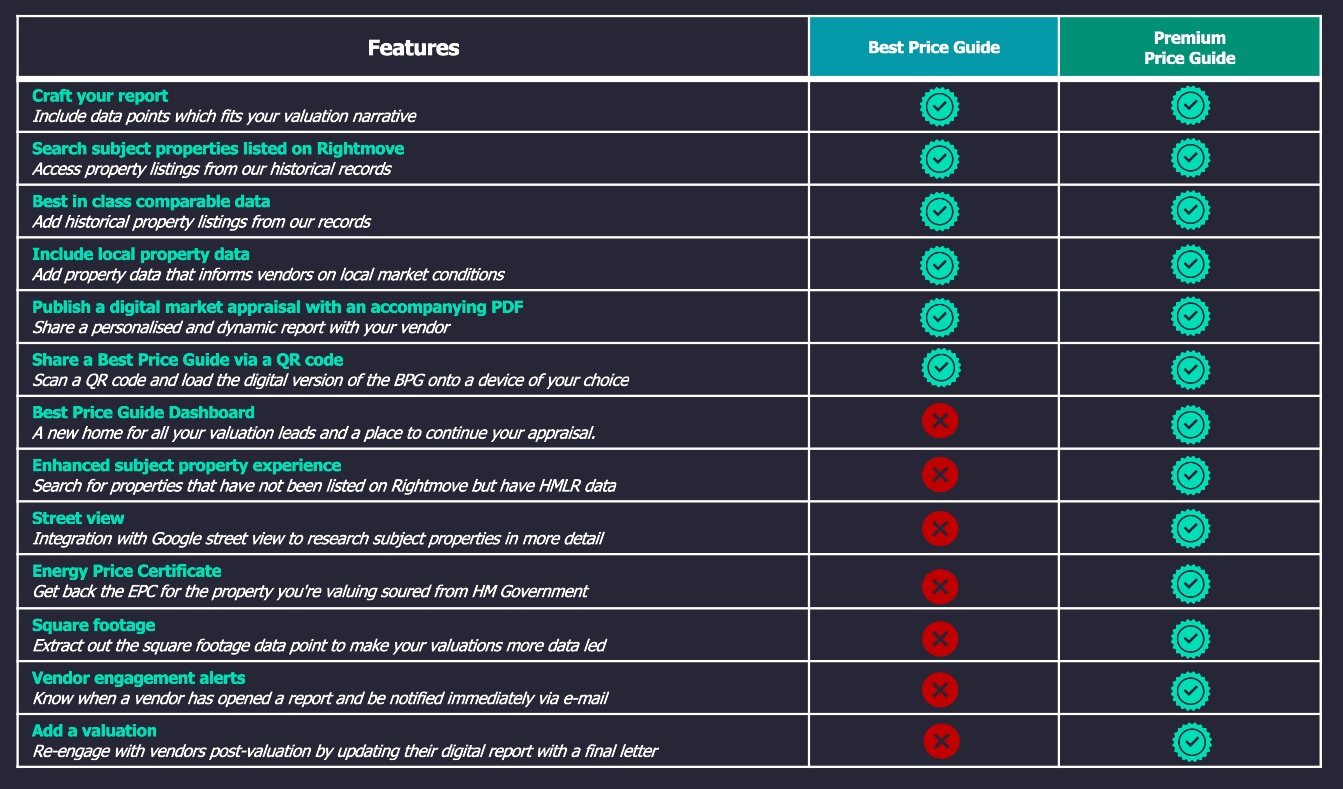
See the differences between the Best Price Guide, and the Premium Price Guide available to those partners below:
The Dashboard
The Premium Price Guide dashboard will show a summary of the Premium Price Guides that branch has created over the last 12 months. This is so Agents have somewhere to return after their valuations to follow up where needed.
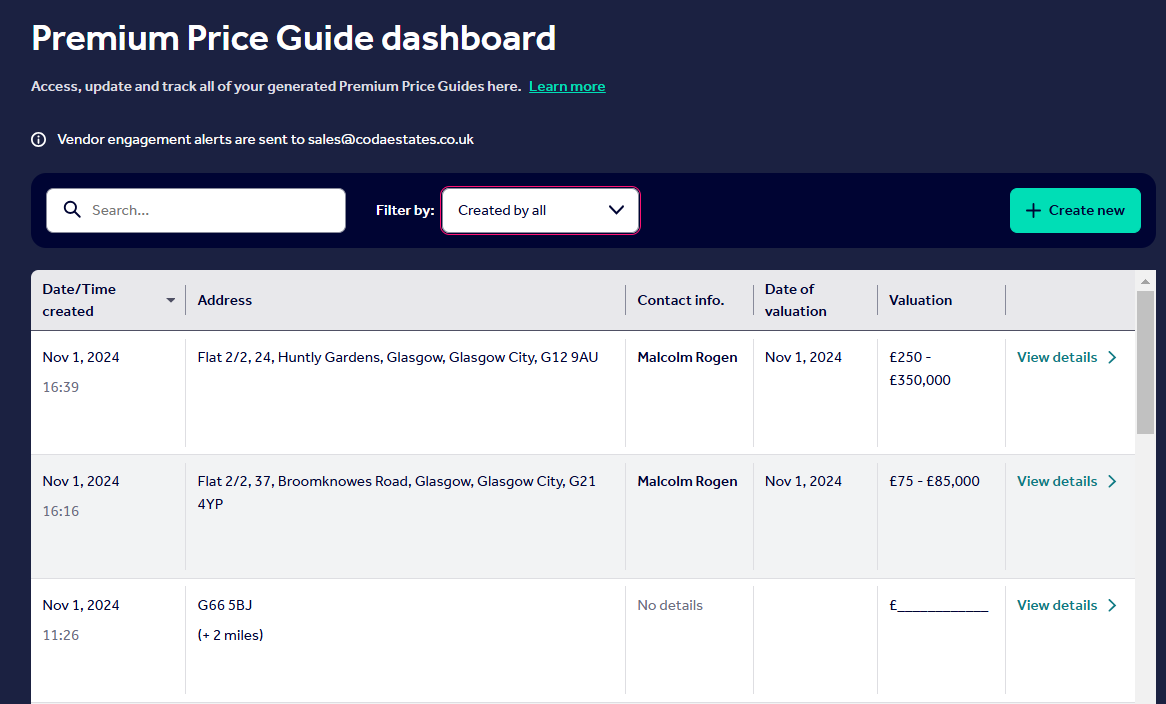
By clicking into each BPG/valuation, you can add valuation notes and view the report that was generated.
This includes your valuation price for the property and a personalised message, which can then be generated to an updated report, by clicking 'Update Premium Price Guide.'
On the dashboard, you can filter by keyword. This works off the sections 'Address', 'Contact Info' and 'Valuation'.
Running a Premium Price Guide Report
After selecting '+Create new' on the Premium Price Guide, you can type in the address to be valued or selects 'Skip to Comparables'. See the screenshot below:
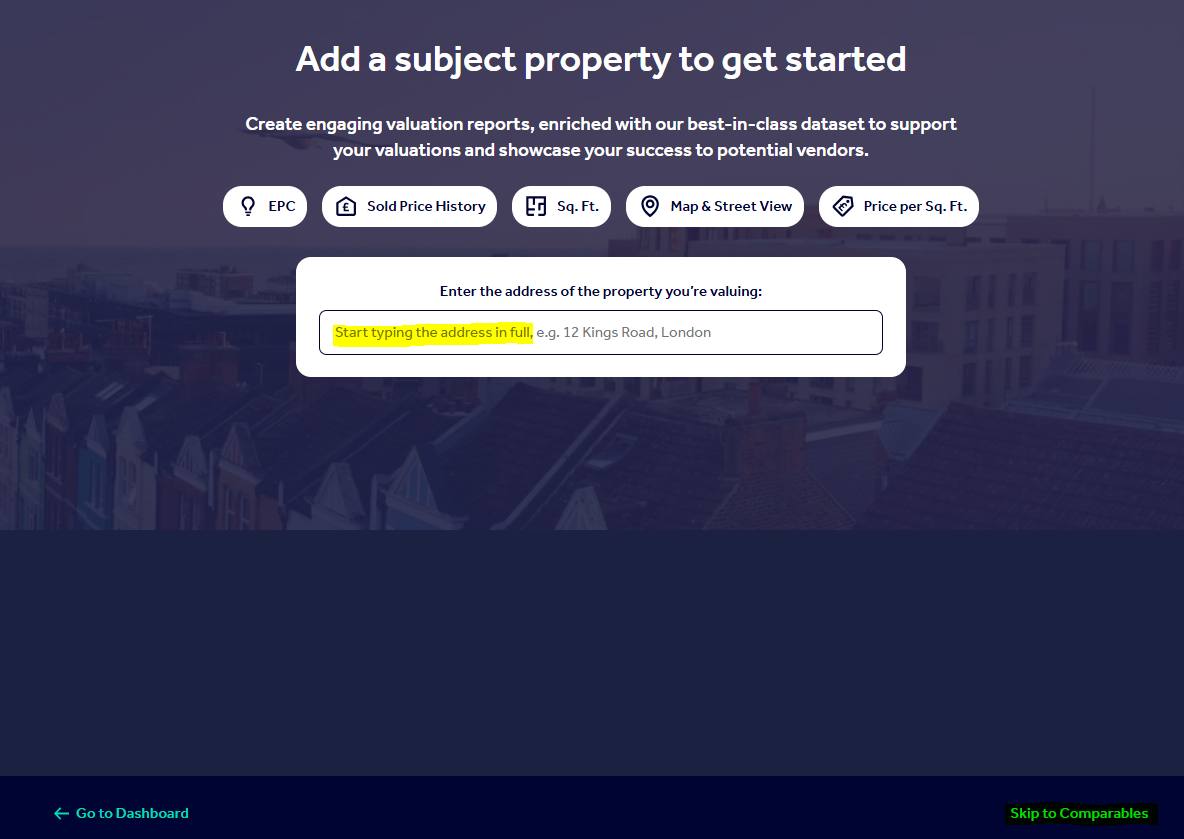
After this point, you would use the report like the standard Best Price Guide. You can read more about the Best Price Guide here.
If you would like to give feedback or report an error with the Premium Price Guide, email customersupport@rightmove.co.uk.
Vendor Engagement Alerts
Once a PPG report has been created, the Vendor Engagement Alerts will alert you when someone has opened and viewed the digital report. This is to notify you that the Vendor has engaged with the data they've been sent, and how to get in touch.
To get your Vendor Engagement Alert email updated, email customersupport@rightmove.co.uk.