
How to check whether your development is live on Rightmove and visible to property seekers.
It also explains what to do if you cannot see your development and the common reasons why it may not yet be live.
When your development goes live on Rightmove, you will:
- Receive a go-live confirmation email from the Contracts Processing team.
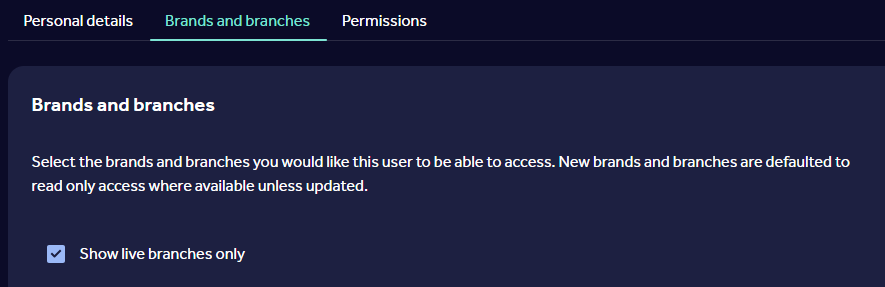
- Be able to view the development within the "Brands and branches" section of your Rightmove Plus account.
Check whether your development is live:
- Sign in to Rightmove Plus.
- Navigate to the "Brands and branches" section.
- Check whether the development appears within your visible developments.
- If the development is listed, it is live on Rightmove.
If you have recently requested a development to go live:
- Check your inbox for the go-live confirmation email.
- Log in to Rightmove Plus.
- Review your visible developments.
- Confirm that the development appears in the list.
If both the confirmation email has been received and the development is showing visible within your Rightmove Plus, no further action is required.
If you experience an error or delay
If you cannot see your development in Rightmove Plus:
Check your data feed (if applicable). Your development may not be live if the data feed supplying your listings has not provided all mandatory information.
We may be waiting for additional paperwork from your account manager.
The processing team may be experiencing higher than usual orders, which can cause a delay. Please note, new developments can take up to 48 working hours to go live, once all information has been received.
Common issues include:
- Missing development images.
- Missing mandatory listing information, such as price.
- Incomplete data being sent from your feed provider.
Rightmove cannot make your development live until all required information has been received successfully.
What to do next
- Review the data being supplied to Rightmove.
- Check that all mandatory information, including images, has been provided.
- Contact your feed provider if any required information is missing.
- If your data appears complete and the development is still not visible, contact the Contract Processing team for support.
When contacting support, include:
- Development name
- Confirmation of whether you have received a go-live email.
- Details of any issues identified with your data feed.
If you have feedback or a feature request
If you have feedback about the visibility of developments within Rightmove Plus or suggestions for improvements, please contact Customer Support and provide:
- A description of your feedback or request.
- Screenshots where relevant.
- Details of how the requested change would help your business.
This information helps us understand your requirements and assess future improvements.