
If you're having trouble accessing Ad Manager in Rightmove Plus, the steps below will help you get back on track.
- How it works
- If you experience an error:
- Check the error message you're receiving.
- If you have feedback or a feature request
How it works
Access to Ad Manager depends on the permissions linked to your Rightmove Plus account.
You can find out how to gain access in our Getting your permissions updated in Rightmove Plus guide.
If you experience an error:
1. Check the error message you're receiving.
2. If the message says that you don't have permission to view the page (see below), follow our Getting your permissions updated in Rightmove Plus guide to request the permission from your Branch Admin.
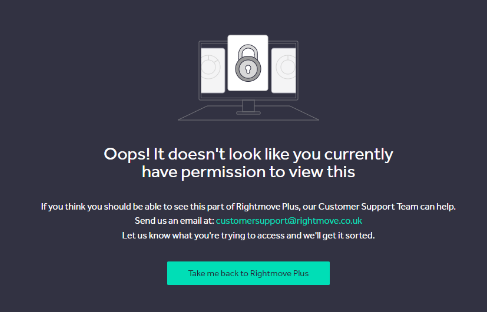
3. If you're receiving a different error that isn't related to your permissions, please get in touch with our Customer Technical Care team.
To help us investigate, please include:
- A brief description of what's happening.
- A screenshot of the error message, if you can.
- The email address you use to log in to Rightmove Plus.
Providing this information will help us understand what's happening and investigate the issue.
If you have feedback or a feature request
If you have feedback about Ad Manager or an idea that could improve your experience, please share as much detail as possible when you contact us.
Let us know what you'd like to see changed and how it would help you when using Ad Manager.