
Tenancy Manager helps you manage an entire tenancy progression in one simple system in Rightmove Plus and is available to all our Lead to Keys partners. You will need to take Rightmove referencing with the Tenancy Manager product. You can take Enquiry Manager with this product too.
If you're using Tenancy Manager you will need an individual log-in to Rightmove Plus, linked to your branch’s account.
Your branch admin will have access to User Management so they can give you 'Yes' access to Tenancy Manager in Rightmove Plus.
Why can I see two permissions?
There are two access levels for Tenancy Manager with admin access allowing edits at branch level.
Tenancy Manager
- Standard access you need to access Tenancy Manager where you can add and edit a tenancy, only the settings section won't be editable with this permission.
Tenancy Manager Admin
- This is an extra permission that allows you to update branch details found under 'Settings' such as the address/bank details that show on the Tenancy contract and enable DRS (Deposit Replacement Scheme) for Tenancy Manager.
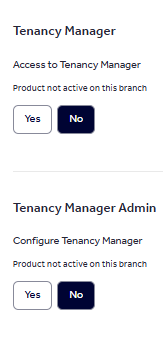
If you see Tenancy Manager as 'Product not active on this branch' - Contact your Account Manager to discuss purchasing this product.
If you are missing the permission in your Rightmove Plus account, you can send this request to your branch admin. Learn more about how to send your request here.
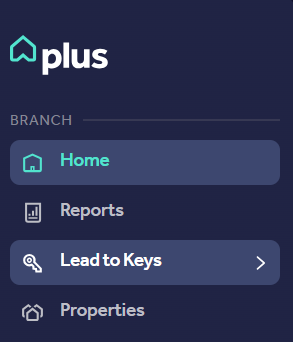
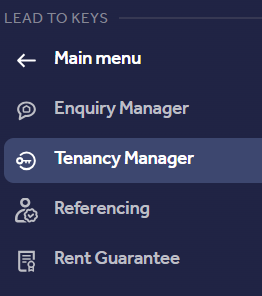
Once you have access go to Rightmove Plus 'Lead to Keys' then 'Tenancy Manager' to view the Tenancy Manager dashboard:
You can also find information on Lead to Keys on the Rightmove Hub.