
Using these step by step guides or demo videos, find out how you can keep your brand image up-to-date on Rightmove using the Branch/Development Marketing feature in Rightmove Plus.
Here, you can update your logo and ‘about us’ description that appears on your profile page and the ‘Find Agent’ search.
Updating your Description
1. Log into Rightmove Plus
2. Head to the main menu
3. Click on 'Branch Marketing' or for New Homes 'Development Marketing'
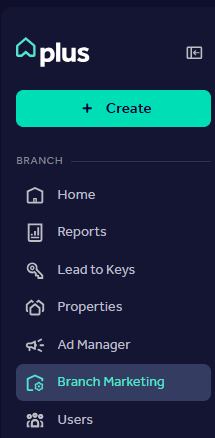
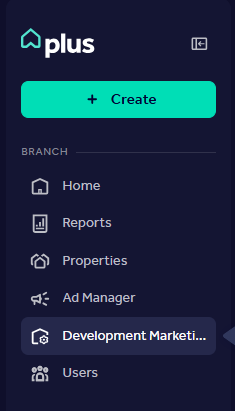
4. Click and type in the 'Branch/Development description' box to add your content and agree to the terms and conditions
5. Click 'Save changes' when you're ready to publish your changes to the website

Don't see this permission on your Rightmove Plus account?
Your Admin user can change these permissions for you. You can find out more by heading to our User Management FAQ article.
You can view the brand description (your description for all live branches/developments) in the ‘Brand description’ box. This isn’t editable within Rightmove Plus right now, but you can click the box on the right-hand side if you want this to display instead of a branch/development-specific description. Get in touch with customersupport@rightmove.co.uk if you'd like to update this.
Updating your Logo
1. Log into Rightmove Plus
2. Head to the main menu
3. Click on 'Branch Marketing' or for New Homes 'Development Marketing'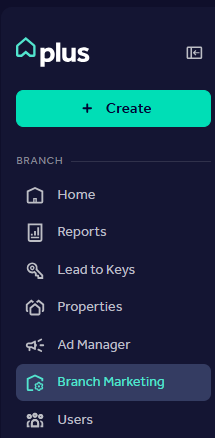
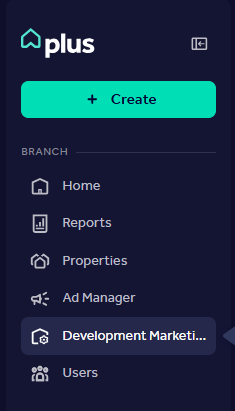
4. Click on the 'Brand assets' tab
5. Click 'Upload a different logo' to upload a new file from your device
6. Click 'Save changes' when you're ready to publish your changes to the website

Don't see this permission on your Rightmove Plus account?
Your Admin user can change these permissions for you. You can find out more by heading to our User Management FAQ article.
Brand Plus Logo
The Brand Plus Logo is the smaller logo that appears alongside Property Listings in the search results page, Property Enquiry Form, Sold By Me, and Native Search Adverts
If you have any questions, would like to report an error, or need to update the brand plus logo, reach out to customersupport@rightmove.co.uk and we'd be happy to update this for you as this functionality isn't currently available for you to edit in Rightmove plus.
Branch Image
Branch images are no longer displayed on Agent Profiles on the Rightmove website. We removed the branch image to put your properties front and centre on your branch profile.