
Using this step by step guide, find out how you can keep your sales lead, lettings lead and main email address and phone number up to date on Rightmove using the Branch/Development Marketing feature in Rightmove Plus.
You can currently add only one lead email/number (as well as one main branch email/number, depending on your membership type). Multiple lead emails/numbers aren’t supported at this time.
You'll be able to check what emails/numbers are available to your branch following the steps below.
- Updating your Main Branch/Development Email Addresses
- Updating your Main Branch/Development Phone Numbers
- How this impacts Geo Numbers
Updating your Main Branch/Development Email Addresses
1. Log into Rightmove Plus.
2. Head to the main menu.
3. Click on 'Branch Marketing' or for New Homes 'Development Marketing'.
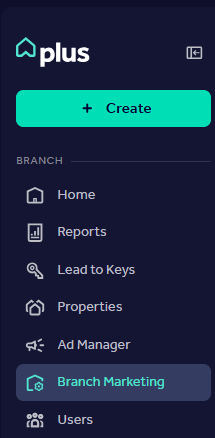
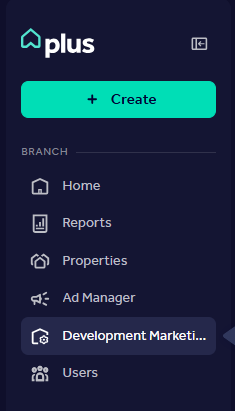
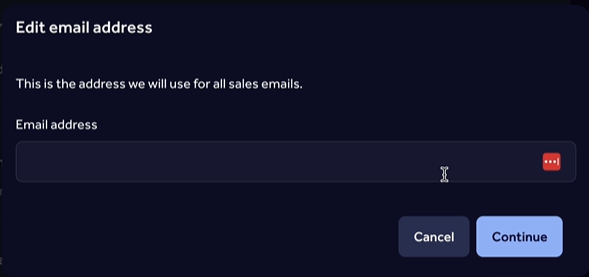
4. Click 'Edit' on the email address you would like to update and enter the new email address.
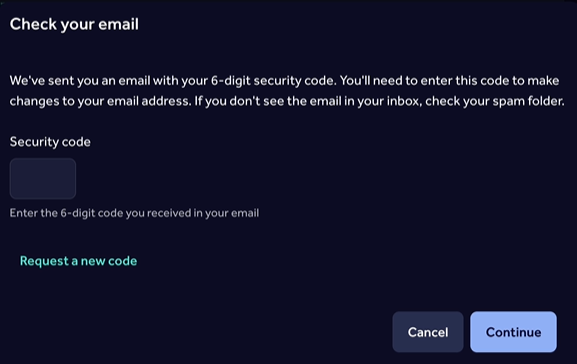
5. A 6 digit security code will be sent to the new email address. Enter this security code to confirm the update.
Updating your Main Branch/Development Phone Numbers
1. Log into Rightmove Plus.
2. Head to the main menu.
3. Click on 'Branch Marketing' or for New Homes 'Development Marketing'.
4. Click 'Edit' on the phone number you would like to update and enter the new phone number.
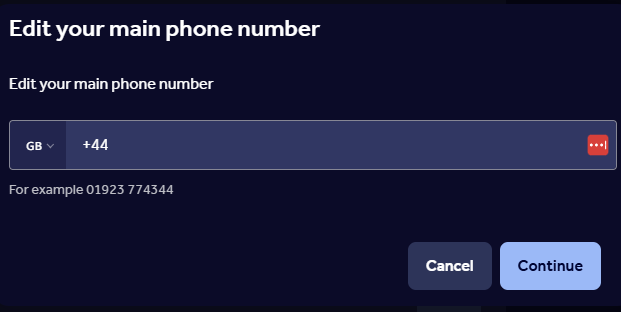
5. Once you've clicked 'Continue' and then saved this change the number will update immediately. A confirmation email is sent to the main branch to confirm this change so contact us if this wasn't you.
The Main Sales and Lettings email address and phone number are managed by your Admin, who can update them whenever changes are needed.
How this Impacts Geo Numbers
- When a brand-new phone number is added, a tracking number (Geo/Rightmove number) is automatically generated and call listening is enabled.
- If you edit an existing phone number, the current call tracking settings remain unchanged.
- The generated tracking number is not currently visible within Rightmove Plus.
- If you delete a phone number and add it again, a new tracking number will be generated.
- A branch must always have at least one phone number. You cannot remove the final remaining main branch phone number.
Don't see this permission on your Rightmove Plus account? Your Admin user can change these permissions for you. You can find out more by heading to our User Management FAQ article.
If you need your missed call email updating, email customersupport@rightmove.co.uk so that we're able to update this for you.